AI builds to spec
Crafts copy and Shorts using channel rules and 25 styles—never inventing store facts.
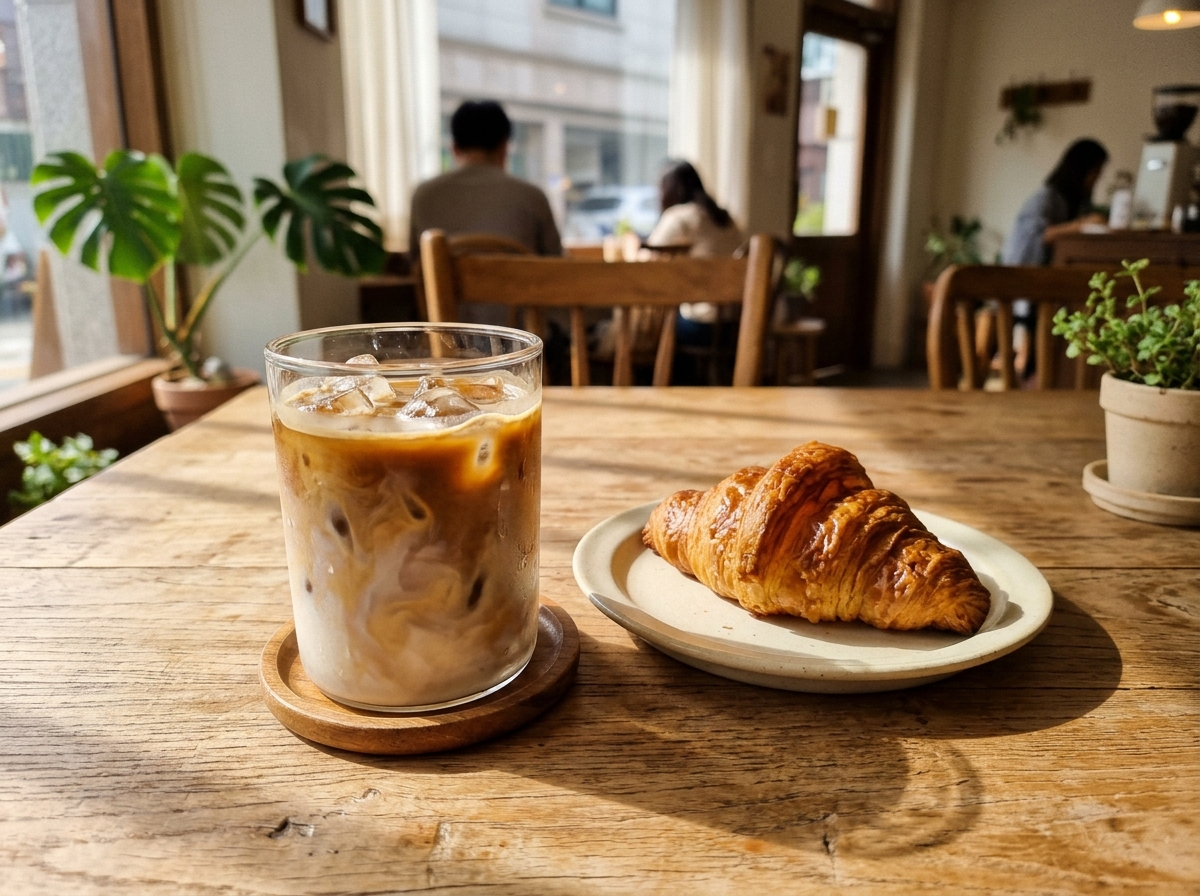
10 a.m. window sunlight. Freshly baked butter croissants and iced lattes are ready for opening.
Check carousel order and the 24-character first-line fold before posting.
14-day free trial invite at launch · No card auto-charge
Example Screen · Sample storefront (Oddbout Bakery / @oddbout_cafe)
Snap Studio beside your AI window. Your AI crafts to spec; Studio checks, previews, and publishes.
Built channel-ready drafts and a vertical Short in your voice and handed them to Studio.
Collapse the sidebar to inspect cleanly side-by-side without horizontal scroll.
Crafts copy and Shorts using channel rules and 25 styles—never inventing store facts.
Catches 500-char limits early and previews posts in authentic app layouts.
Live post URLs return to your AI; 90-day and Monday analytics stay neatly in Studio Reports.
Choose auto or approval simply by how you instruct your AI
Talk to your AI normally and posts validate and publish automatically.
Studio isn't a built-in generator. Follow the free starter course and brand voice templates in Settings > Plan to start in minutes.
Check exact aspect ratios and character limits upfront, and keep your manual edits safe from AI overwrites.
oddbout_cafe 10 a.m. window sunlight…

Inspect 4:5 carousel order, the 24-character first-line fold, and 3:4 profile grid crop before publishing.
Example Screen · Sample storefront (@oddbout_cafe)
Edit text inline or click photos to swap, crop, and reorder slides [1][2][3].
Manual edits stay pinned against AI overwrites, with 1-click Undo anytime.
Alerts without chopping words, and applies shorter rewrites only when you confirm.
Edit only title, description, tags, and visibility—video renders stay untouched by Studio.
Runs inside a visible browser window you watch, always pausing for the 5 human checkpoints.
Studio never views or stores passwords. Setup resumes automatically as soon as you finish.
1. Select your shop channel · 2. Advanced → Go to connection · 3. Select all · 4. Continue.
No hidden windows or cookie bypasses
Passwords and raw secrets never touch logs
Saved only in Windows Vault / Mac Keychain
Never requests delete or admin scopes
Resumes mid-flow and halts safely on layout shift
Only nudges you when approval is queued, and lets you export your entire archive anytime.
When Studio is running in your tray, a 7 PM OS alert arrives (customizable time).
2 recent live posts
Instagram Unified Login never expires; reconnect from Home only if removed from your Business Portfolio, moved, or unused >90 days.
Shorts upload as 'Private · Only you' first. Watch inside Studio, then make Public or Schedule.
▶ 0:18 Check
Separate Unused and Used photos for your local AI to pick cleanly.
UnusedUnused UsedUsed
Scale Studio UI text across 4 sizes while keeping SNS previews true to life.
Export all posts and photos anytime—and published SNS posts stay live even if you leave.
Leaving never deletes posts already live on SNS.
No messy spreadsheets—just your 90-day snapshot and one Monday top post inside Studio Reports.
Pulls top post and channel views from the last 90 days, including posts before Studio.
Includes posts published before connecting. Numbers from the last 2 days are still syncing.
Highlights last week's single top post with views and saves every Monday morning.
Example Screen · Illustrative storefront numbers
Join the waitlist now to receive your 14-day free trial invite and ₩29,900 one-time launch link first.
Windows · macOS · Zero charge today
100% refund within 7 days if unused · 100% refund within 3 months (30 days from discovery) for defects or misrepresentation · Processed within 3 business days
Everything in Oddbout Studio +
Configured per brand; terms consent and final submit always stay with you.
Connect visitor and ad metrics (final submit stays with you)
Illustrative Pro workspace · Scope tailored per consultation
No. Talk normally to auto-publish, or tell your AI 'show me before posting' to review from Home first.
No automatic card billing. Once the 14-day free trial ends, only scheduled posts pause while your archive stays readable.
Studio never asks for delete scopes. Edit freely before posting inside Studio; once live, edit or delete in each SNS app.
Under Korean E-Commerce Law, unused one-time purchases are 100% refundable within 7 days of payment, and defective or misrepresented services within 3 months (30 days from discovery), processed within 3 business days. See our Refund Policy.
No—your local AI creates copy and Shorts using Studio's rules; Studio checks limits, previews, connects, and publishes cleanly.
Check OS notification permissions and make sure Studio stays running in your system tray/background.
Instagram Unified Login has no token expiration. Reconnect only if removed from your Business Portfolio, moved, or unused >90 days.
Get your 14-day ₩0 trial invite and ₩29,900 one-time launch notice first.
Leave your email to get your 14-day free trial invite (no card auto-charge) and ₩29,900 one-time launch notice first.
Share your brand, channels, and goals for a tailored Pro setup.